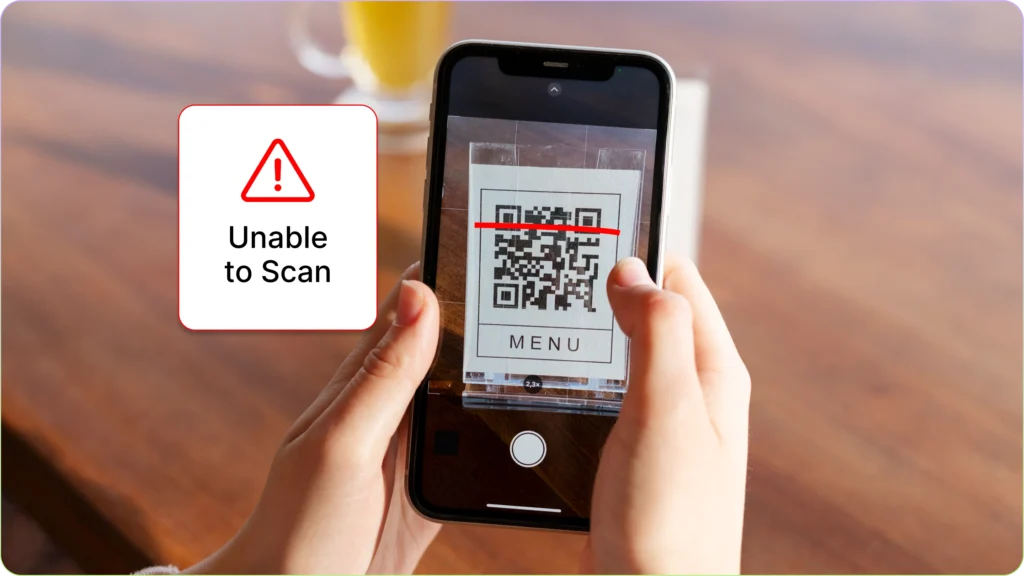
Troubleshooting Common QR Code Scanning Issues
Troubleshooting Common QR Code Scanning Issues – QR codes are everywhere today. From restaurant menus and payment systems to event tickets and product authentication, these small black-and-white squares have become a simple bridge between the physical and digital world. Most of the time, scanning a QR code is instant and effortless. However, there are moments when the scan simply refuses to work.
If you have ever pointed your phone at a QR code and nothing happened, you are not alone. QR code scanning issues are surprisingly common and usually caused by simple problems that are easy to fix. Understanding the most frequent causes can save time and frustration, whether you are using QR codes for personal use, marketing, or business operations.
This quick guide will walk through the most common QR code scanning problems and how to troubleshoot them effectively.
Why QR Codes Sometimes Fail to Scan
Before jumping into solutions, it helps to understand why QR code scanning sometimes fails. QR codes rely on a camera, image recognition software, and a stable environment to work properly. When any of these elements is disrupted, the scanning process may fail.
Most scanning problems fall into three main categories: device issues, QR code quality problems, or environmental factors. The good news is that nearly all of these can be resolved quickly once the cause is identified.
Poor Lighting Conditions
Lighting plays a major role in successful QR code scanning. If the environment is too dark or excessively bright, the camera may struggle to detect the code pattern correctly.
In low light, the camera sensor cannot clearly capture the contrast between the black and white squares of the QR code. On the other hand, strong glare or reflections can distort the pattern and confuse the scanning software.
To solve this problem, move to an area with balanced lighting. Natural light works best, but indoor lighting that evenly illuminates the QR code can also help. Avoid direct reflections on glossy surfaces, especially when scanning codes printed on laminated materials or screens.
Camera Lens Is Dirty
One of the most overlooked causes of QR code scanning issues is a dirty smartphone camera lens. Fingerprints, dust, or pocket lint can blur the camera image just enough to prevent the scanner from recognizing the code.
If your QR code scans are frequently failing, take a moment to clean the camera lens. A microfiber cloth or soft fabric usually works best. Even a quick wipe can dramatically improve scanning accuracy.
Clear camera optics help the phone detect the small patterns inside a QR code, especially when scanning from a distance.
QR Code Is Too Small or Too Far Away
Size matters when it comes to QR codes. If a code is printed too small or viewed from too far away, the camera may struggle to capture the full pattern.
When scanning, try adjusting your distance. Move the phone closer to the QR code slowly until the scanning frame detects it. Most smartphone cameras automatically focus when they detect a code within the correct range.
If the QR code is part of printed material such as a flyer, poster, or packaging, ensure the code is large enough to be recognized by a standard smartphone camera.
QR Code Is Blurry or Damaged
Physical damage or poor printing quality can also make QR codes difficult to scan. Torn posters, scratched surfaces, or low-resolution printing can distort the pattern structure.
QR codes rely on precise pixel arrangements. When parts of the pattern are missing or blurred, scanners may fail to decode the information embedded in the code.
If you control the QR code source, consider reprinting it with higher resolution. For digital displays, make sure the code image is not compressed or resized in a way that reduces clarity.
Phone Camera Cannot Focus
Sometimes the issue is not the QR code but the phone itself. Certain devices may struggle to focus quickly, especially older smartphones with lower camera resolution.
If your phone fails to scan a code immediately, give the camera a second or two to focus. You can also tap the screen to manually trigger focus in many camera apps.
Holding the phone steady helps the autofocus system lock onto the code pattern more accurately.
Common Software-Related QR Code Problems
While many QR code scanning issues are physical or environmental, software can also play a role. Camera apps, operating systems, and QR scanning tools all influence how smoothly the process works.
Outdated Camera or QR Scanner App
Modern smartphones usually include built-in QR code scanning through the camera app. However, if the software is outdated, it may struggle to interpret newer QR code formats.
Updating your device operating system or camera application can often fix this issue. Developers frequently improve scanning algorithms and compatibility with updates.
If your phone does not have built-in scanning capability, installing a reliable QR code scanner app can significantly improve performance.
Slow Internet Connection
Many QR codes redirect users to websites, payment portals, or online content. Even if the scan itself succeeds, a slow internet connection may prevent the content from loading.
In this situation, it may appear as if the QR code failed, when the real issue is network connectivity. Switching to a stronger Wi-Fi signal or enabling mobile data can resolve the problem.
A stable internet connection ensures the destination page loads quickly after the code is scanned.
Incompatible QR Code Content
Not all QR codes contain simple website links. Some may trigger downloads, app launches, payment systems, or specialized services.
If your device does not support the action embedded in the code, the scan may appear to fail. For example, a payment QR code designed for a specific app may not work without that app installed.
In these cases, installing the required application usually solves the problem.
Tips to Improve QR Code Scanning Success
Consistently successful QR scanning often comes down to a few simple habits. Position the camera steadily, maintain good lighting, and make sure the QR code itself is clear and undamaged.
Keeping your smartphone updated and ensuring the camera lens stays clean can also make a noticeable difference. Small adjustments like these help the scanning system recognize QR codes faster and more accurately.
For businesses that rely on QR codes for marketing or customer engagement, testing codes across multiple devices before publishing them is also a smart strategy. This ensures the code works smoothly for a wide range of users.
Final Thoughts
QR codes are designed to make digital access faster and easier, but occasional scanning issues can still occur. Fortunately, most problems are simple to identify and resolve.
Whether the cause is poor lighting, a blurry camera lens, or outdated software, a few quick troubleshooting steps can usually restore normal scanning functionality. Understanding these common QR code scanning issues helps ensure a smoother experience for both everyday users and businesses that depend on QR technology.
With the right setup and a little attention to detail, QR codes remain one of the most convenient tools for connecting the offline world with online information.

The Legal Implications of QR Code Data Collection
The Legal Implications of QR Code Data Collection – QR codes are everywhere. From restaurant menus and event tickets to payment systems and marketing campaigns, these small black-and-white squares have quietly become part of daily life. What started as a simple tool for fast information sharing has now evolved into a powerful data collection channel.
But behind the convenience lies a serious issue: the legal implications of QR code data collection. Businesses often focus on the marketing advantages, while overlooking the legal responsibilities that come with gathering user information through QR interactions. For website owners, digital marketers, and especially those building PBN assets, understanding this legal landscape is not optional. It is essential.
In this article, we will explore how QR code data collection works, the privacy laws involved, potential risks, and how to stay compliant while protecting your digital assets.
How QR Code Data Collection Actually Works
When someone scans a QR code, they are usually redirected to a website, landing page, or application. At first glance, it seems simple. However, behind that redirect, multiple layers of data tracking may occur.
When a user scans a QR code, the system can capture information such as IP address, device type, browser information, geolocation data, time of scan, and sometimes even behavioral tracking once the user lands on a website. If forms are involved, personal data like name, email address, and phone number may also be collected.
From a legal perspective, the moment personally identifiable information is gathered, the business becomes responsible for handling that data according to applicable privacy laws.
The key issue is consent. Many QR codes are placed in physical spaces without any explanation about what data will be collected. Users scan them expecting information, not realizing that tracking mechanisms are active in the background.
Why Legal Compliance Matters More Than Ever
Data privacy is no longer just a technical issue. It is a regulatory priority worldwide. Governments have introduced strict frameworks to protect individuals from misuse of personal information.
Two of the most influential regulations are the General Data Protection Regulation and the California Consumer Privacy Act. Even if your business is not physically located in Europe or California, you may still fall under these laws if you collect data from residents in those regions.
Under GDPR, companies must clearly inform users about what data is being collected, why it is being collected, and how it will be used. Explicit consent is often required. Failure to comply can result in heavy fines.
The CCPA gives consumers the right to know what personal data is being collected and the right to request deletion. It also requires businesses to disclose data-sharing practices.
If a QR code leads to a landing page that installs cookies, collects emails, or tracks behavior without clear disclosure, you may be exposing yourself to legal risks.
For PBN operators, this is especially important. Many private blog networks use QR codes for offline promotion, event-based traffic, or localized marketing strategies. If those QR campaigns collect data without proper legal structure, the entire network could face penalties or reputational damage.
Transparency and User Consent
Transparency is the foundation of legal QR code data collection. When users scan a code, they should not feel misled.
A compliant setup typically includes a privacy notice on the landing page explaining:
What data is collected
How it is used
Whether it is shared with third parties
How long it is stored
How users can request deletion
While QR codes themselves cannot display long disclaimers, the linked page must clearly communicate data practices before collecting sensitive information.
Consent mechanisms should also be properly implemented. If cookies are used for tracking, a cookie consent banner is often required. If personal data is collected through a form, the user must actively agree to the terms.
Ignoring these steps can create legal exposure that outweighs any marketing benefit.
Data Security Responsibilities
Collecting data is only half the equation. Protecting it is equally important.
Once you collect user information via a QR code campaign, you are responsible for securing it. Data breaches can result in severe financial and legal consequences. In some jurisdictions, companies must notify authorities and affected users within a strict timeframe after a breach.
Strong security practices include encrypted connections, secure hosting, limited access control, and regular vulnerability testing. For PBN operators managing multiple sites, centralized data storage without adequate security can create a single point of failure.
A compromised landing page connected to a QR campaign could expose thousands of user records. That risk must be taken seriously.
Cross-Border Data Transfers
One often overlooked issue in QR code data collection is cross-border data transfer.
If your hosting provider is located in one country, your analytics service in another, and your visitors come from multiple regions, you may be transferring personal data internationally. Some regulations restrict how and where personal data can be transferred.
For example, GDPR imposes strict rules on transferring European user data outside the European Economic Area unless adequate safeguards are in place. Businesses must ensure that service providers comply with data protection standards.
For SEO professionals and PBN builders using global hosting solutions, this is a crucial consideration. It is not just about domain authority and IP diversity. It is also about legal data flow compliance.
Marketing Ethics and Consumer Trust
Legal compliance is the minimum requirement. Ethical data handling goes even further.
If users discover that a simple QR code scan led to aggressive retargeting, email marketing without clear consent, or unexpected data sharing, trust can erode quickly. In the SEO world, reputation is everything.
Search engines increasingly evaluate trust signals. Transparent privacy practices can indirectly support long-term SEO performance by building user confidence and reducing bounce rates.
For PBN strategies that aim to build authority, ignoring legal and ethical data practices can undermine the entire network.
Potential Legal Risks of Non-Compliance
Failing to comply with data protection laws can lead to several consequences.
Financial penalties are the most obvious. GDPR fines can reach millions of euros depending on the severity of the violation. CCPA also allows regulatory fines and private lawsuits in certain situations.
Beyond fines, there are additional risks such as civil lawsuits, reputational damage, loss of business partnerships, and even domain suspension if hosting providers detect non-compliant practices.
For those running multiple sites within a PBN structure, one investigation can potentially expose the entire network. Legal scrutiny rarely stays isolated.
Best Practices for Safe QR Code Data Collection
To reduce risk while maintaining marketing effectiveness, businesses should follow practical guidelines.
First, always link QR codes to secure HTTPS pages. Second, include a clearly written privacy policy that reflects actual data practices. Third, implement cookie consent tools where required. Fourth, collect only the data you truly need. Over-collection increases both legal risk and liability.
It is also wise to consult a legal professional familiar with digital privacy laws in your target markets. Laws evolve constantly, and staying updated protects your long-term assets.
For PBN owners, separating data collection activities from authority-building sites may also reduce exposure. Not every site in a network needs to capture user information.
The Future of QR Code Regulation
As QR codes continue to expand into payments, digital identity, and smart city systems, regulatory attention will increase. Governments are already examining how quick-access technologies impact consumer privacy.
Businesses that proactively adopt transparent and compliant practices will be in a stronger position moving forward. Those who treat QR codes as harmless marketing shortcuts may face unexpected legal challenges.
Understanding the legal implications of QR code data collection is not about creating fear. It is about protecting your business, your digital assets, and your audience.
In the fast-paced world of SEO and PBN development, compliance might not seem exciting. However, ignoring privacy laws can cost far more than any ranking benefit gained from aggressive data capture strategies.
QR codes are powerful tools. Used responsibly, they can enhance user experience and marketing performance. Used carelessly, they can open the door to legal consequences that no online business wants to face.
Building authority online requires more than backlinks and traffic. It requires trust, transparency, and respect for user privacy.
Hot News!
Platform situs Pedetogel https://pedetogel.net/ terpercaya.
situs pedetogel terpercaya
link login togel279 terbaru.
Menikmati keseruan berbagai game online populer lewat situs togel178 kini bisa dilakukan langsung dari aplikasi ponsel pintar.
Rekomendasi banget lah, pertama coba langsung percaya kalau togel178 ini paling cuan abis
Netizen di berbagai forum gawai sepakat menunjuk sabatoto sebagai kiblat game online toto paling interaktif abad ini.
Nikmati waktu luang bersama Colok178 dengan mengeksplorasi tantangan slot777 arcade yang penuh warna.
Situs https://pedetogel3.com/ terpercaya.
Link login togel178 resmi terupdate.
Buka https://togel279new.com/ buat lihat yang terbaru.
Klik bermain https://sopsambel.xyz/ lebih menarik dengan berbagai petualangan terbaru 2026.
login sekarang https://www.clipsnkicksut.com/ keseruan tanpa batas menanti kamu.
Saatnya naik level. Akses https://sabatoto.vip/ dan mulai permainan favorit Anda hari ini.
Jangan lewatkan keseruannya. Kunjungi https://sabatoto11.com/ dan buktikan kemampuan Anda.
Kunjungi sekarang https://pedetogela.com/ karena kualitas selalu menjadi pilihan utama.
Modal receh pada pilihan game online maupun pasang angka situs toto Togel178 bisa untung jutaan.
Platform https://togel158-login.com/ resmi terpercaya.
Link Supplier https://www.mukhijaskinclinic.com/ Toto Slot Gacor Resmi Slot777 & Slot88 dengan Game Terlaris
Akses Link Toto Togel 4D https://www.restaurantlartiste.com/ & Login Situs Slot Gacor Resmi dengan Layanan Terpercaya
Ajak sahabat anda untuk bergabung dan bermain bersama melalui slotgacor.
One step at a time, daftar di situs togel dan lanjutkan dengan login.
Hadir sebagai pilihan untuk menemani waktu luang Anda, toto slot menawarkan pengalaman yang praktis.
Lagi ada waktu? Login sebentar dan cek toto togel.
penasaran dan mau coba? langsung cek https://rahu-kalaya.com/ server Thailand
coba login dan lihat pilihan server Thailand di https://www.spc-mobile.com/